
Templates
Overview
Section titled “Overview”You can find a list of templates at templates.xenon.bot. Most of them can be loaded on existing servers using Xenon or can be used to create new servers using the discord template feature. Some legacy templates are considered internal and can only be loaded using Xenon.
Loading a template
Section titled “Loading a template”Loading a template replaces all channels and roles in the discord. It does not kick the members.
You can also load any discord template in an existing server by supplying the template link, or supply the name to load one of Xenon’s old templates.
Syntax
Section titled “Syntax”/template load <name_or_id> [options]
Arguments
Section titled “Arguments”name_or_id
Section titled “name_or_id”The name, id or link of the template you want to load.
e.g. starter, 6p9d4EBbuYcM or https://discord.new/6p9d4EBbuYcM
required
options
Section titled “options”A list of arguments, separated by a space. Putting a ! in front of the argument disables the option.
* enables all
!* disables all
Valid Arguments: channels delete-channels roles delete-roles settings
Example: /template load name_or_id: r2uhQjNFKYHA options: !* delete-roles roles will only load roles
Example: /template load name_or_id: r2uhQjNFKYHA options: !delete-roles !channels will load everything beside channels
optional default: delete-channels channels delete-roles roles settings
Creating a template
Section titled “Creating a template”Create template of your server and put it on Xenon’s template list.
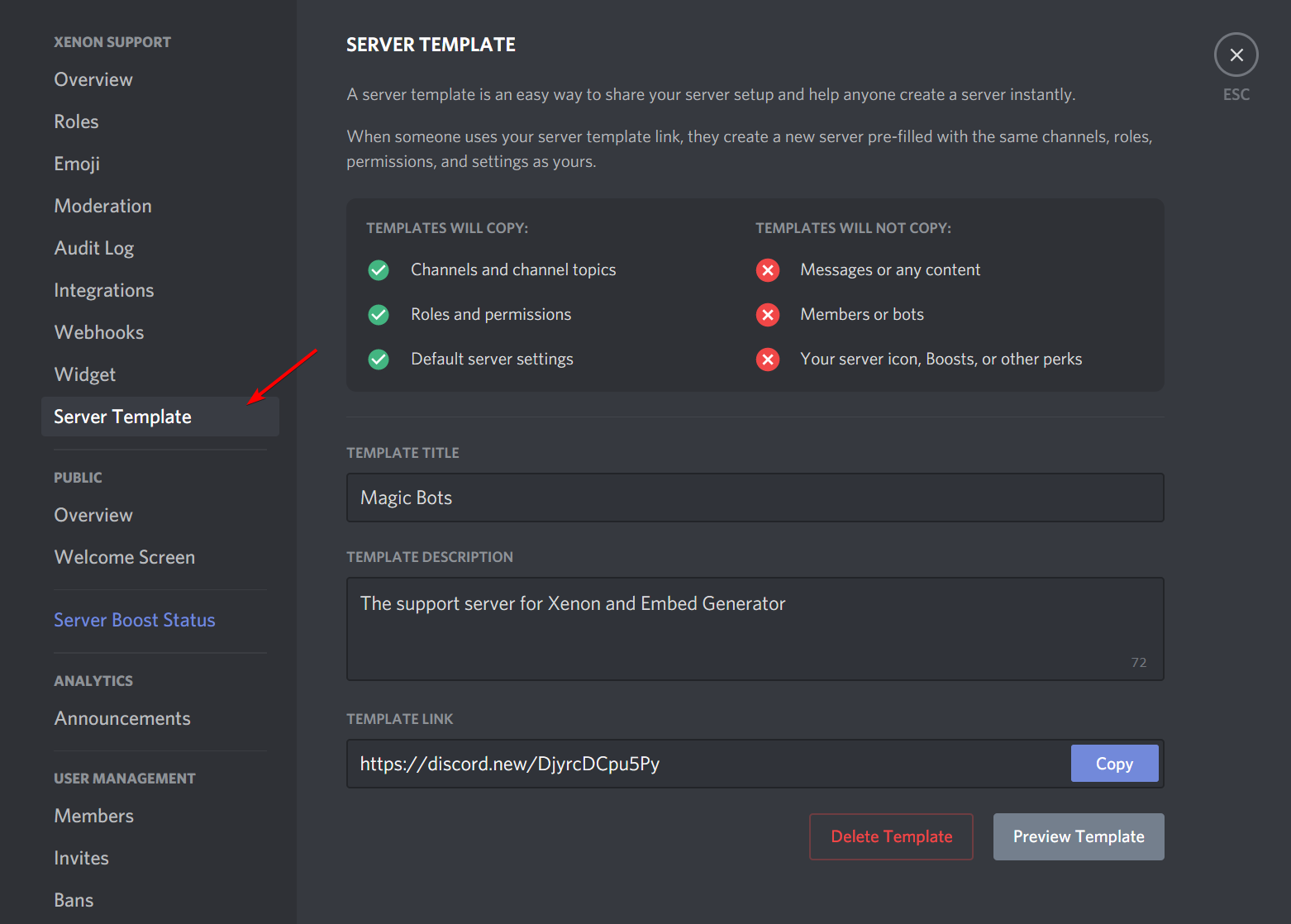
Head over to the server you want to create a template of, go to your server settings and look for the “Server Template” tab. Fill out all the required details.
Adding to Xenon’s template list
Section titled “Adding to Xenon’s template list”Click copy on the template link, and head over to here and paste your template link in.
It should now be avaliable on the Xenon templates site.